
Apple Says AI Agents Made This Mac Setting Risky. Here’s How to Check Yours
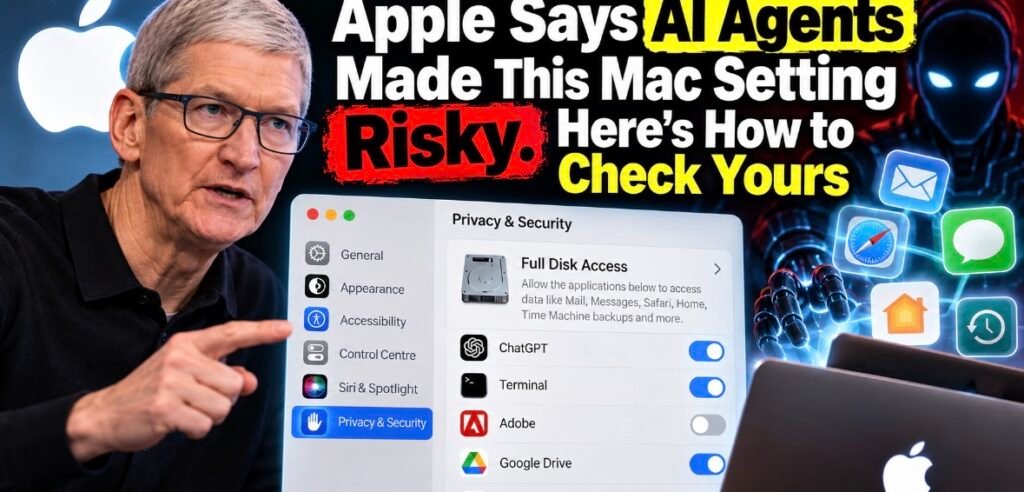
Try this on your Mac. Open System Settings, click Privacy & Security, and scroll down to Full Disk Access.
Every app switched on there can get at data from Mail, Messages, Safari and Home, plus your Time Machine backups. That’s not me being dramatic. It’s Apple’s own description.
On Friday, October 2, Apple said out loud that this has become a problem. And it named the reason: AI agents.
What Apple actually announced
Apple posted a short note called “Updates to Full Disk Access in macOS” on its developer news site. The gist? This setting was built for backups, and some apps use it for a lot more.
In Apple’s words, Full Disk Access “largely sidesteps” the privacy controls it gives developers “in order to allow backup apps to function properly on the Mac.” Then it gets blunt. Some developers are using it “in ways that could put users at risk,” exposing files, mail, messages and even browsing history “without users’ full knowledge and understanding.”
The line that stuck with me is this one: “For communication apps, this can also compromise the privacy of the people users are communicating with.”
So it’s not only your data. It’s your mom’s texts. Your group chat. People who never installed the app.
Apple’s fix is “additional controls,” so that anyone who wants to give an app “this extraordinary level of access can only do so with very explicit user action.” Its reasoning: “As AI agents become increasingly capable and autonomous, the risks associated with this level of access will grow substantially.”
What we don’t know yet
Quite a lot, honestly.
Apple didn’t say which macOS version gets the new controls, when they’ll arrive, or what “very explicit user action” will look like. MacRumors, AppleInsider and The Verge all note there’s no timeline.
Also, TechCrunch corrected its story: this is about informed consent, not a new limit. You’ll still be able to grant Full Disk Access. You’ll just have to really mean it.
Why now? Look at Muse
The timing isn’t subtle.
Inc. columnist Jason Aten wrote that Meta’s Muse agent knew what was in his private messages without his permission. By his account, Muse had synced his Messages database up to row 187,462, while its settings showed Full Disk Access off.
Meta disputes his account. Communications chief Andy Stone wrote on X that you have to “enable both Full Disk Access and the Messages connector for Muse to be able to read your Messages content.”
I can’t tell you who’s right. But notice what both sides agree on: Full Disk Access is the door to your Messages. (Yep, this is the same Muse that Meta just opened up to tinkerers. I covered what you can build with Meta Muse Gadgets before all this blew up.)
Wired also reported a now-patched flaw in ChatGPT’s Mac app that could have let an attacker essentially take over the app, chat logs and browser sessions included. OpenAI logged the fix on September 25.
How to check Mac Full Disk Access right now
This takes two minutes.
- Choose Apple menu > System Settings.
- Click Privacy & Security in the sidebar. You may need to scroll.
- Click Full Disk Access.
- Look hard at every app with its switch turned on.
To cut an app off, turn off its switch. You can also select it and click the minus (-) button to remove it from the list. Howard Oakley at The Eclectic Light Company notes the change doesn’t fully take effect until you quit and reopen that app, so do that too.
My rule of thumb for what deserves to stay on:
- Backup apps. That’s literally what Apple built this setting for.
- Security tools you trust that need to scan the whole drive.
- A disk-space analyzer, if you actually use one.
Pretty much everything else should go. An AI assistant that wants your whole drive? Off. That cleaner app you installed once and forgot? Off, then delete it. If something breaks, you can flip it back on in ten seconds.
The sneaky one: Terminal
Developers, check whether Terminal is on that list. Eclectic Light points out that command-line tools generally inherit Terminal’s access. So if Terminal has Full Disk Access, every script and AI coding agent you run inside it gets the same reach.
Plenty of people turned that on years ago to fix one annoying error. Then forgot.
Who this hurts and who it helps
Everyday users come out ahead. Today it can come down to one switch in System Settings. Apple says that’s about to get far more deliberate.
AI agent apps take the hit. Any agent that wants to read your texts and email will have to get you past a tougher step first. That’s the point. Agents are being sold as do-it-all helpers right now (I broke down what AI agents can actually do for you if you want the quick version), so this was coming.
Backup and security tools could get caught in the crossfire. They genuinely need this access, and Apple hasn’t said whether they’ll get any shortcut.
Developers are stuck waiting. Apple posted this with no API details, no beta and no date. If your Mac app relies on Full Disk Access, I’d rewrite your onboarding now so it explains, in plain English, exactly why you need it.
The bigger picture
On October 3, TechCrunch reported that David Robinson, who led the writing of safety reports for OpenAI’s major launches, had quit, saying the company’s “culture is broken.” He pointed to the recent breach of Hugging Face’s systems by OpenAI agents. I went through what the OpenAI safety lead is really saying in a separate post.
Different company, same lesson. Agents chase a goal with whatever access you’ve handed them. (If that sentence feels fuzzy, start with what an AI agent actually is.)
My honest take
I’m glad Apple is doing this. I’m also a bit annoyed it took a public fight over one journalist’s text messages to get here.
Full Disk Access was always a sledgehammer. Fine for backup tools. A different story when the app asking can read, summarize and act on everything it finds.
But a scarier prompt only works if people read it. Apple can’t fix our habit of clicking “Allow” just to make a box go away.
That part’s on us.
So go check that list. Seriously. It takes less time than reading this did.
FAQ
What does Full Disk Access do on a Mac?
According to Apple, it lets an app access all files on your computer, including data from Mail, Messages, Safari and Home, Time Machine backups, and certain admin settings for every user on that Mac.
Is it safe to give an AI app Full Disk Access?
Apple itself says the risk grows as agents get more capable. My take: only grant it if you’d be fine with that app reading your texts and email, because that’s what you’re allowing.
When will Apple’s new Full Disk Access controls come out?
Apple hasn’t said. It hasn’t named a macOS version or a release date.
Will turning off Full Disk Access break my apps?
Some features might, especially in backup tools. You can turn it back on anytime in Privacy & Security, then quit and reopen the app.
Sources: Apple Developer News, Apple Mac User Guide, TechCrunch on Apple’s change, MacRumors, The Verge, AppleInsider, TechCrunch on Muse, WIRED, TechCrunch on David Robinson and The Eclectic Light Company (1, 2).
