
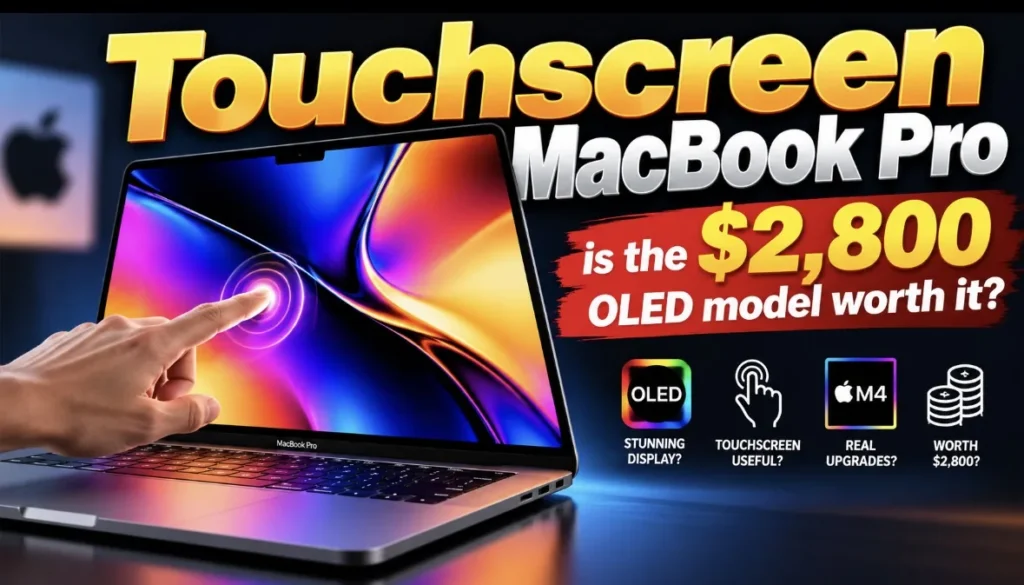
Touchscreen MacBook Pro: Is the $2,899 OLED Model Worth It?
Apple announced its first touchscreen Mac on October 28. The new MacBook Pro with PROLED XDR Display comes in 14-inch and 16-inch sizes, starts at $2,899 and $3,399, and pairs a tandem OLED screen with touch built into the panel. Preorders are open now, and Apple says the first units arrive Friday, November 6. I haven’t used one. Everything below comes from Apple’s own specs, the hands-on reports from outlets that did get time with it, and a bit of math.
The question I care about is simple: who should pay for this, and who should keep their money?
What Apple actually announced
Here are the specs that matter for a buying decision, all from Apple’s press release:
- Display: tandem OLED, up to 2,000 nits peak brightness for both HDR and SDR, a 10,000,000:1 contrast ratio, 120Hz ProMotion, and P3 plus Adobe RGB color.
- Touch: the sensor sits inside the display panel rather than on top of it, and macOS turns taps into clicks for apps that haven’t been updated.
- Dynamic Island on the Mac: it becomes the home for Spotlight, Live Activities and Siri AI.
- Chips: M5 Pro or M5 Max, with up to 128GB of memory and up to 16TB of storage.
- Weight: 3 pounds for the 14-inch and 4 pounds for the 16-inch, which Apple says is 0.5 and 0.7 pounds lighter than before.
- Battery: up to 24 hours, per Apple’s own September testing.
- Ports: three Thunderbolt 5 ports, HDMI, an SD card slot, MagSafe and a headphone jack.
The M5 Max versions start at $4,499 (14-inch) and $4,799 (16-inch). Education pricing knocks the 14-inch M5 Pro down to $2,749.
The detail most coverage skips: you’re paying for a screen, and the chip is older
The touchscreen model doesn’t get Apple’s newest chip. A day earlier, Apple launched a 14-inch MacBook Pro with M6 at $1,999, and Apple says M6 has the “world’s fastest CPU core.” The OLED model uses M5 Pro and M5 Max, the chips Apple launched back in March.
Macworld and iThinkDiff both found that the older non-touch M5 Pro and M5 Max MacBook Pros are still for sale, and each OLED model costs exactly $400 more than its non-touch twin with the same chip, memory and storage. That gives us a clean way to price the new screen.
| Model | Non-touch (Liquid Retina XDR) | Touch (PROLED XDR) | Gap |
|---|---|---|---|
| 14-inch M5 Pro | $2,499 | $2,899 | $400 |
| 16-inch M5 Pro | $2,999 | $3,399 | $400 |
| 14-inch M5 Max | $4,099 | $4,499 | $400 |
| 16-inch M5 Max | $4,399 | $4,799 | $400 |
One more thing worth knowing: CTOL Digital reports that Apple had already raised the non-touch M5 Pro price from its March launch price of $2,199. So the 14-inch M5 Pro buyer is paying $700 more than they would have in spring, and only $400 of that is the new screen.
My cost-per-year math
This is my own framework, and it rests on assumptions you should check against your habits. I’m assuming you keep the laptop five years, pay Apple’s US list price, and ignore tax, AppleCare and resale value. Resale would narrow every gap a little, but nobody knows yet how OLED MacBooks will hold their value.
| Path | Upfront | Extra vs M6 | Extra per year (5 yrs) | Extra per week |
|---|---|---|---|---|
| 14-inch M6 MacBook Pro | $1,999 | $0 | $0 | $0 |
| 14-inch M5 Pro, non-touch | $2,499 | $500 | $100 | about $1.92 |
| 14-inch M5 Pro, touch OLED | $2,899 | $900 | $180 | about $3.46 |
Looked at this way, the touch and OLED upgrade on its own costs $400, or $80 a year, or roughly $1.54 a week over five years. If you stare at a screen eight hours a day, five days a week, that works out to about 4 cents per working hour for the better display. For someone who grades video or edits photos for money, that’s easy to justify. For someone who mostly writes emails, it’s a luxury, and that’s fine as long as you know it is.
The jump from the $1,999 M6 model to the $2,899 OLED model is the bigger decision. You’re paying $900 for a Pro chip, more memory headroom, more ports and the new screen, while giving up the newer chip generation.
A hypothetical comparison with iPad Pro
Here’s a hypothetical I see people raise: why not buy an iPad Pro with a Magic Keyboard for touch, and a cheaper Mac for real work? Apple sells the Magic Keyboard for the 13-inch iPad Pro for $349. Add a 13-inch iPad Pro at its $1,299 starting price and you’re at $1,648 for the tablet setup alone. Pair that with the $1,999 M6 MacBook Pro and you’ve spent $3,647, which is $748 more than the touch MacBook Pro.
The two-device path still wins for anyone who needs Apple Pencil or a tablet they can hold. Macworld notes Apple hasn’t announced Pencil support for this MacBook Pro, and The Verge’s hands-on mentions no detachable screen. If you want one machine that does macOS work and handles some touch, the $2,899 MacBook Pro is cheaper than the combo.
The limitations that could change your mind
Touch app support is partly a promise. Apple lists Notion, Canva, Zoom, Microsoft Office, Lightroom, DaVinci Resolve, Blender and others, but its own footnote says those apps “will be available later this year.” Until then, many apps fall back to taps acting as clicks. The Verge put it plainly: hitting a tiny button with your finger is “a pretty fiddly experience at best.”
Siri AI isn’t fully baked. Apple’s footnotes say Siri AI is a beta in macOS 27.2, that some server-side Apple Intelligence features have daily usage limits, and that “expanded access to such features will be available for a fee in the future.” If the Dynamic Island and Siri AI are part of why you want this laptop, know that part of the experience may later sit behind a paywall.
It’s a first-generation design. Macworld reports the new design is expected to reach non-touch models with next year’s M7 update. That’s a report, not an Apple announcement, but it fits Apple’s usual pattern of first-generation hardware improving in round two.
OLED aging is an open question. Apple says its display engine “monitors and adapts each pixel’s usage over time” to preserve image quality. That’s an admission that OLED wear is something Apple has to manage. Nobody has long-term data on this specific panel yet, so I’m treating it as an unknown.
The good news, per CNBC’s hands-on, is that touch is entirely optional. You can treat this as a regular MacBook Pro that happens to have a much better screen.
Buy, wait or skip: my call for each kind of buyer
Photographers, colorists and video editors: buy. The Adobe RGB support, 2,000 nits SDR, and more than 80% Rec. 2020 coverage Apple quotes are the reason this exists. At about $80 a year over the non-touch twin, the screen pays for itself if color accuracy affects your income.
iOS and iPadOS developers: buy, probably. Apple specifically pitches testing touch in iPhone and iPad apps right on the Mac display. If that saves you from reaching for a test device all day, it’s a fair trade.
Musicians and 3D artists: wait a month or two. Logic Pro’s onscreen instruments sound useful, but key third-party apps are still “later this year.” Let the updates ship and read the first full reviews.
Students and general users: skip. The $1,999 M6 MacBook Pro has the newer chip, and the education price is $1,899. Touch on a laptop is a nice extra, and $900 is a lot to pay for one.
Anyone with an M4 or M5 MacBook Pro: skip this round. Your machine isn’t slow, and if Macworld’s report about the M7 redesign holds, next year’s lineup will be a better time to move.
How sure am I? I’m fairly confident on the pricing math because every number comes from Apple or retailer price pages. I’m less sure on the “wait” calls, since they rest on app updates that haven’t shipped and on full reviews that don’t exist yet. If early reviews show touch in macOS feels awkward after a week of real use, I’d downgrade the developer recommendation too.
If you’re still choosing a phone to go with your next Mac, my iPhone 18 Pro Max vs iPhone Duo comparison covers that, and my piece on the iPhone Duo screen crack problem is worth a read before you trust any new screen tech on day one. You’ll find the latest software changes in my iOS 27 features guide, and if you plan to run AI agents on the new Mac, read why giving them Full Disk Access is risky.
FAQ
When can I buy the touchscreen MacBook Pro?
Preorders opened October 28, 2026, on apple.com and in the Apple Store app in 30 countries and regions. Deliveries and in-store availability start Friday, November 6.
Does the touchscreen MacBook Pro work with Apple Pencil?
Apple hasn’t announced Apple Pencil support. Macworld notes there’s no established Pencil support, detachable display or tablet mode for this model, so an iPad Pro is still the pick for drawing with a stylus.
Can I turn off the touchscreen?
You don’t have to use it. CNBC reports touch is entirely optional, and the keyboard and trackpad work as they always have alongside it.
Does it run iPadOS apps or macOS?
It runs macOS 27. CNBC’s hands-on confirms these are still MacBooks running macOS, not iPadOS.
Is there a cheaper way to get one?
Education pricing starts at $2,749 for the 14-inch and $3,199 for the 16-inch. Apple Upgrade, a lease run by Klarna, starts at $55.99 a month for 36 months on the $2,899 model, though you don’t own the laptop at the end unless you pay the buyout.
Which non-touch MacBook Pros are still sold?
The 14-inch M6 model at $1,999 and the non-touch M5 Pro and M5 Max models from $2,499, according to Apple’s store pricing reported by Macworld and iThinkDiff.
Sources: Apple Newsroom, PROLED XDR MacBook Pro; Apple Newsroom, M6 MacBook Pro; Apple Store, Magic Keyboard; The Verge; CNBC; Macworld guide; Macworld on M6; iThinkDiff; CTOL Digital.
