iOS 27 Is Here: New Features, Release Date, Compatible iPhones and Siri AI
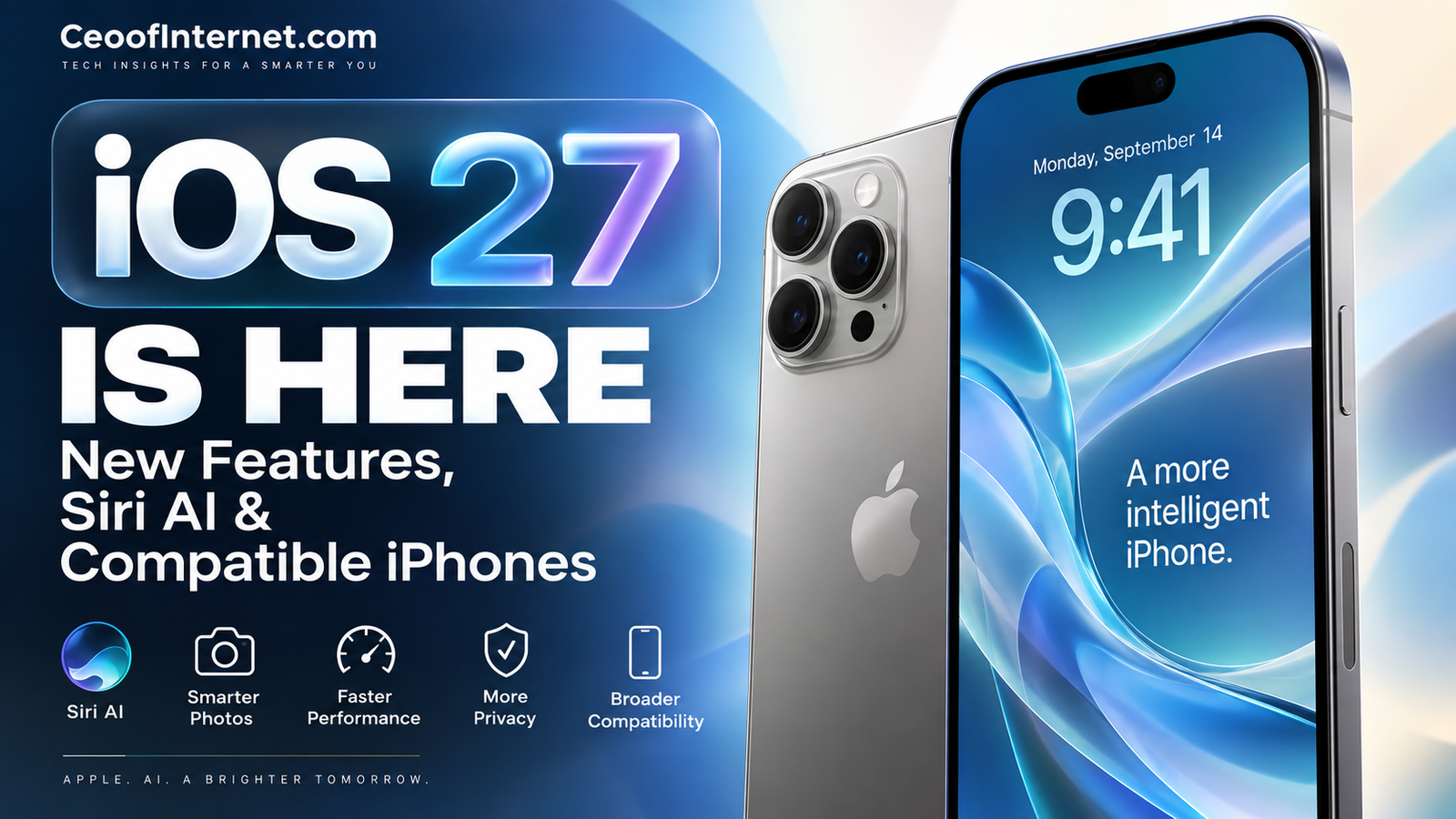
Apple’s iOS 27 is now available, bringing a major expansion of Apple Intelligence, the new Siri AI experience, Liquid Glass refinements, AI-powered photo tools, performance improvements, and new features across the iPhone.
For iPhone users in the United States, iOS 27 is particularly significant because Apple is moving Siri beyond the traditional voice-assistant experience and toward a more conversational, context-aware AI assistant.
But there is an important distinction to understand: not every iPhone that can install iOS 27 supports Apple Intelligence or Siri AI.
Here’s everything you need to know about iOS 27, including its release date, new features, compatible iPhones, Apple Intelligence requirements, Siri AI, performance improvements, and whether you should update.
iOS 27 Release Date
Apple released iOS 27 on September 14, 2026, as a free software update for compatible iPhone models.
US users can check for the update by opening:
Settings → General → Software Update
Apple is also rolling out Apple Intelligence improvements with iOS 27. Siri AI is launching as a beta in English for supported devices, with additional languages scheduled to follow.
What’s New in iOS 27?
The biggest iOS 27 features include:
- New Siri AI
- A dedicated Siri app
- Expanded Apple Intelligence
- Personal-context understanding
- Onscreen awareness
- Siri Mode in Camera
- Visual Intelligence improvements
- New AI photo-editing tools
- Spatial Reframing
- Improved Clean Up
- Liquid Glass design refinements
- Customizable Liquid Glass appearance
- Faster app launches
- Faster photo loading
- Faster AirDrop transfers
- Improved Mail search
- New child-safety tools
- Health and Cycle Tracking improvements
- More seamless cellular and Wi-Fi transitions
Let’s take a closer look.
1. Siri AI Is the Biggest iOS 27 Feature
The headline feature of iOS 27 is Siri AI.
Apple describes Siri AI as an entirely new version of Siri powered by Apple Intelligence.
Instead of functioning primarily as a voice-command assistant, Siri AI is designed to support more natural conversations, understand context, answer broader questions, and help users complete tasks.
Apple says Siri AI can use personal context to help users find information across their iPhone, including information in areas such as messages, emails, photos, and notes.
That represents a significant change in Apple’s approach to Siri.
What can Siri AI do?
Apple says users can interact with Siri AI naturally by typing or speaking.
You can ask questions, brainstorm ideas, request help with projects, and ask Siri to find information.
Apple’s examples also show Siri working with information already on the user’s device.
The important idea is context.
Rather than treating every request as an isolated command, Siri AI is designed to understand more about what you’re asking and the information surrounding the request.
2. Siri AI Gets a Dedicated App
iOS 27 introduces a dedicated Siri app.
This gives Siri AI a more visible home on the iPhone rather than limiting the experience to the traditional Siri interface.
Apple’s App Store description for iOS 27 specifically highlights the dedicated Siri app and describes it as part of the new conversational Siri experience.
For users accustomed to AI products such as ChatGPT and Gemini, this makes Siri feel more like a standalone AI assistant while remaining deeply integrated with iOS.
3. Siri AI Understands Personal Context
One of the most important parts of Apple’s AI strategy is personal context.
Apple says Siri AI can find information from your own device when you ask for it.
For example, Siri can help locate a photo, find an email, or surface a note you’ve previously saved.
This is potentially more useful than simply asking a chatbot a general question because Siri has access to information within the Apple ecosystem that a standalone chatbot may not have.
Apple says its approach is designed around privacy and security, with Apple Intelligence integrated into Apple’s platforms and foundation models.
4. Siri Gets Onscreen Awareness
Siri AI is also designed to understand what’s happening on your screen.
That means you can ask Siri about information you’re currently viewing instead of always having to explain the context yourself.
This could make the assistant more useful when you’re reading an article, looking at a message, viewing an image, or working with information in an app.
Apple calls this part of Siri’s expanded ability to understand personal context and what’s happening on the device.
5. Siri Mode Comes to the Camera
One of the most interesting iOS 27 features is Siri Mode in Camera.
It allows users to start a visual search directly from the Camera viewfinder.
In practical terms, you can point your iPhone camera toward something and use Siri AI to help understand what you’re looking at.
This brings together:
Camera + Visual Intelligence + Siri AI
Instead of typing a description of something into a search engine, the iPhone can use the camera as the starting point.
Apple highlights this as one of the new ways iOS 27 combines visual understanding with Siri AI.
6. Visual Intelligence Gets More Powerful
Visual Intelligence is becoming a more important part of Apple’s AI strategy.
The feature allows the iPhone to understand visual information and provide useful context about what you’re looking at.
With iOS 27, Apple is expanding how users can interact with this technology through Siri and the Camera.
This is particularly interesting because it changes the way people can search.
Instead of:
Type → Search → Read
the experience increasingly becomes:
Point → Ask → Understand
That could eventually become one of the most natural ways people use AI on smartphones.
7. AI-Powered Photo Editing Gets Better
iOS 27 adds new AI-powered photography tools, including Spatial Reframing and an upgraded Clean Up experience.
Spatial Reframing
Spatial Reframing helps users adjust photos for different compositions and layouts.
Apple demonstrates the feature as a way to reframe images using AI rather than simply cropping them manually.
Improved Clean Up
Clean Up is designed to remove unwanted elements from photographs.
The feature builds on Apple’s existing AI photo-editing approach and gives users a simpler way to make changes without manually editing every part of an image.
For everyday iPhone photographers, these could become some of the most useful Apple Intelligence features in iOS 27.
8. Liquid Glass Gets Refined
If you disliked parts of Apple’s Liquid Glass design, iOS 27 gives you more control.
Apple says iOS 27 improves Liquid Glass with:
- More consistent refraction
- Improved contrast
- Sharper, more detailed app icons
- A new appearance slider
The slider allows users to adjust Liquid Glass from a clearer appearance toward a more tinted look.
That’s an important usability change because Apple is giving users more control over how the interface looks rather than forcing everyone into exactly the same visual treatment.
9. iOS 27 Can Be Faster
Apple says iOS 27 includes performance improvements throughout the operating system.
According to Apple’s own testing and stated figures:
- Apps can launch up to 30% faster
- New photos can load in the Photos library up to 70% faster
- AirDrop transfers can be up to 80% faster
These are Apple’s maximum claimed improvements, not guarantees that every iPhone will experience those exact gains.
Actual results can vary depending on the iPhone model, software configuration, workload, network conditions, and other factors.
That distinction matters when evaluating Apple’s performance claims.
10. Better Cellular and Wi-Fi Transitions
Apple says iOS 27 makes transitions between cellular and Wi-Fi networks more seamless.
The goal is to reduce interruptions when an iPhone moves between different types of connectivity.
For users who frequently move between home Wi-Fi, office networks, public Wi-Fi, and cellular service, this is one of those changes that may be more noticeable in everyday use than it sounds on paper.
11. Mail Search Gets an Upgrade
Searching through years of email can be frustrating.
iOS 27 improves search in Mail with a new ranking system designed to surface more relevant results.
Apple says its rebuilt search experience across Spotlight, Photos, and Mail is intended to be more stable and efficient, while Mail gets a new ranking system for more relevant results in Top Hits.
For people with large inboxes, this could be one of the most practical improvements in iOS 27.
12. New Child-Safety Features
Apple is also expanding its child-safety tools.
iOS 27 introduces additional controls designed to help parents manage children’s digital experiences.
Apple highlights tools that can give parents more control over content, communication, device use, and other aspects of a child’s iPhone experience.
Some features are designed to let children request access to content while giving parents the ability to approve or decline that request.
This continues Apple’s broader focus on creating safety controls while maintaining privacy.
13. Health App Gets New Features
Health is another area receiving attention in iOS 27.
Apple says the Health app now adds support for perimenopause and menopause within Cycle Tracking.
Users aged 40 and older can receive a notification when deviations in logged cycle patterns suggest possible perimenopause, allowing them to discuss the information with a healthcare professional.
Apple is also expanding health and fitness functionality across the iPhone and Apple Watch ecosystem.
These changes show that Apple’s AI strategy isn’t limited to chatbots and image editing. Apple is increasingly using machine learning and intelligence features in health and everyday device experiences.
iOS 27 Compatible iPhones
One of the most important questions for US users is whether their current iPhone can run iOS 27.
Apple’s official compatibility list includes:
iPhone 18
- iPhone 18 Pro Max
- iPhone 18 Pro
iPhone 17
- iPhone 17 Pro Max
- iPhone 17 Pro
- iPhone Air
- iPhone 17
- iPhone 17e
iPhone 16
- iPhone 16 Pro Max
- iPhone 16 Pro
- iPhone 16 Plus
- iPhone 16
- iPhone 16e
iPhone 15
- iPhone 15 Pro Max
- iPhone 15 Pro
- iPhone 15 Plus
- iPhone 15
iPhone 14
- iPhone 14 Pro Max
- iPhone 14 Pro
- iPhone 14 Plus
- iPhone 14
iPhone 13
- iPhone 13 Pro Max
- iPhone 13 Pro
- iPhone 13
- iPhone 13 mini
iPhone 12
- iPhone 12 Pro Max
- iPhone 12 Pro
- iPhone 12
- iPhone 12 mini
iPhone 11
- iPhone 11 Pro Max
- iPhone 11 Pro
- iPhone 11
iPhone SE
- iPhone SE (2nd generation and later)
Apple’s current iOS 27 compatibility page confirms this device list.
Does Every iPhone Running iOS 27 Get Apple Intelligence?
No.
This is probably the most important compatibility detail to understand.
An iPhone can support iOS 27 without supporting Apple Intelligence.
Apple’s current requirements say Apple Intelligence on iPhone is available on:
- All iPhone 16 models and later
- iPhone 15 Pro
- iPhone 15 Pro Max
So, for example:
- iPhone 11 → iOS 27: Yes
- iPhone 11 → Apple Intelligence: No
That’s why simply looking at the iOS 27 compatibility list isn’t enough when deciding whether an older iPhone can use Apple’s newest AI features.
What Languages Does Apple Intelligence Support on iOS 27?
Apple says Apple Intelligence supports:
- English
- Danish
- Dutch
- French
- German
- Italian
- Norwegian
- Portuguese
- Spanish
- Swedish
- Turkish
- Vietnamese
- Simplified Chinese
- Traditional Chinese
- Japanese
- Korean
Apple notes that some features may have different language and regional availability.
For US users, English is part of the initial supported language set.
When Is Siri AI Available?
Siri AI is rolling out as a beta with iOS 27 on September 14, 2026, initially for supported devices set to English.
Apple says French, Japanese, Korean, Portuguese, and Spanish support is coming in October.
This is an important distinction:
Apple Intelligence is available with iOS 27, but the new Siri AI experience is specifically rolling out as a beta.
So users shouldn’t expect every promised Siri capability to behave like a finished product immediately.
iOS 27 vs. iOS 26: What’s Changed?
The most obvious difference is Apple’s continued move toward AI.
iOS 27 builds on the previous generation’s Liquid Glass design while expanding Apple’s Intelligence platform and introducing the new Siri AI experience.
The biggest changes can be summarized like this:
| Area | iOS 27 |
|---|---|
| Siri | New Siri AI experience |
| AI | Expanded Apple Intelligence |
| Camera | Siri Mode and visual search |
| Photos | Spatial Reframing and improved Clean Up |
| Design | Refined Liquid Glass |
| Performance | Apple’s claimed improvements to apps, Photos and AirDrop |
| Improved search ranking | |
| Safety | Additional child-safety tools |
| Health | New Cycle Tracking capabilities |
| Connectivity | More seamless Wi-Fi/cellular transitions |
Is iOS 27 Free?
Yes.
iOS 27 is a free software update for compatible iPhones.
You do not need to buy a new iPhone simply to install iOS 27.
However, buying a newer iPhone may be necessary if you specifically want Apple Intelligence and the newest Siri AI capabilities.
Should You Install iOS 27?
For most users with a compatible iPhone, yes.
The update brings improvements across AI, photography, performance, search, connectivity, safety, health, and the user interface.
The biggest reason to update is Apple’s new AI direction.
But there’s an important caveat.
If your iPhone supports iOS 27 but does not support Apple Intelligence, you won’t receive all of the features that Apple is highlighting most heavily.
And if you’re particularly interested in Siri AI, remember that Apple is launching the new experience as a beta.
Is iOS 27 Worth It on an Older iPhone?
That depends on what you expect from the update.
If you own an older supported iPhone, you can still install iOS 27 and receive the operating-system improvements available to your device.
But the experience won’t be identical to that of a newer Apple Intelligence-compatible iPhone.
If AI features are the main reason you’re interested in iOS 27, hardware compatibility matters considerably.
If you mainly want the latest operating system, interface refinements, security updates, and other system improvements, an older compatible iPhone can still benefit.
What iOS 27 Means for the Future of the iPhone
The most important thing about iOS 27 may not be any individual feature.
It’s the direction Apple is taking the iPhone.
Apple is moving toward an iPhone that can understand more of:
- What you’re asking
- What’s on your screen
- What’s in your photos
- What’s in your messages
- What’s in your email
- What’s happening around you
That is fundamentally different from the traditional smartphone experience.
Instead of opening an app and figuring out how to accomplish something yourself, the long-term vision is for the iPhone to understand what you want and help you get there.
Siri AI is Apple’s answer to the growing popularity of generative AI assistants such as ChatGPT and Google Gemini.
But Apple’s advantage is that Siri can be integrated directly into the operating system and connected to Apple’s hardware and software ecosystem.
That could make Apple’s AI strategy particularly important over the next few years.
iOS 27: The Bottom Line
iOS 27 is a major step in Apple’s transition from traditional smartphone software toward AI-powered computing.
The biggest headline is Siri AI, which brings a more conversational and context-aware experience to Siri.
But iOS 27 is much broader than Siri.
Apple is also improving Visual Intelligence, adding new AI photo tools, refining Liquid Glass, improving search, making parts of iOS faster, adding child-safety features, expanding Health capabilities, and improving connectivity.
The good news is that iOS 27 supports a broad range of iPhones, including models going back to the iPhone 11 generation.
The important catch is that iOS 27 compatibility does not equal Apple Intelligence compatibility.
If you want Apple’s newest AI features, you’ll need supported newer hardware.
For US iPhone users, iOS 27 is therefore more than a routine annual software update. It is Apple’s clearest attempt yet to turn the iPhone into a more intelligent, context-aware personal assistant.
And with Siri AI launching as a beta, the September release may be only the beginning of what Apple plans to do with it.
iOS 27 FAQs
When was iOS 27 released?
Apple released iOS 27 on September 14, 2026.
Is iOS 27 free?
Yes. iOS 27 is available as a free software update for compatible iPhones.
Which iPhones support iOS 27?
Apple’s current compatibility list starts with the iPhone 11 series and iPhone SE (2nd generation and later) and extends through Apple’s newer iPhone models.
Does the iPhone 11 support iOS 27?
Yes. The iPhone 11, iPhone 11 Pro, and iPhone 11 Pro Max are listed as compatible with iOS 27.
Does the iPhone 11 support Apple Intelligence?
No. Apple’s current Apple Intelligence requirements for iPhone begin with the iPhone 15 Pro and iPhone 15 Pro Max, plus all iPhone 16 models and later.
What is the biggest iOS 27 feature?
The biggest headline feature is Siri AI, Apple’s new AI-powered and more conversational version of Siri.
Is Siri AI available in the US?
Yes. Siri AI is rolling out in beta in English for supported devices with iOS 27.
Is Siri AI available on every iPhone running iOS 27?
No. Siri AI requires an Apple Intelligence-enabled device and a supported language.
Does iOS 27 make an iPhone faster?
Apple says some experiences are faster, including app launches, Photos loading, and AirDrop transfers. Apple’s published figures are up to 30%, 70%, and 80%, respectively, but actual performance varies by device and conditions.
Should I update to iOS 27?
For most users with compatible iPhones, iOS 27 is a worthwhile update. However, the availability of Apple Intelligence and Siri AI depends on your iPhone model, language, and region.
Also explore on CeoofInternet: What Is Generative AI? and What Is Artificial Intelligence?.
